Dietitian Appointment Scheduling
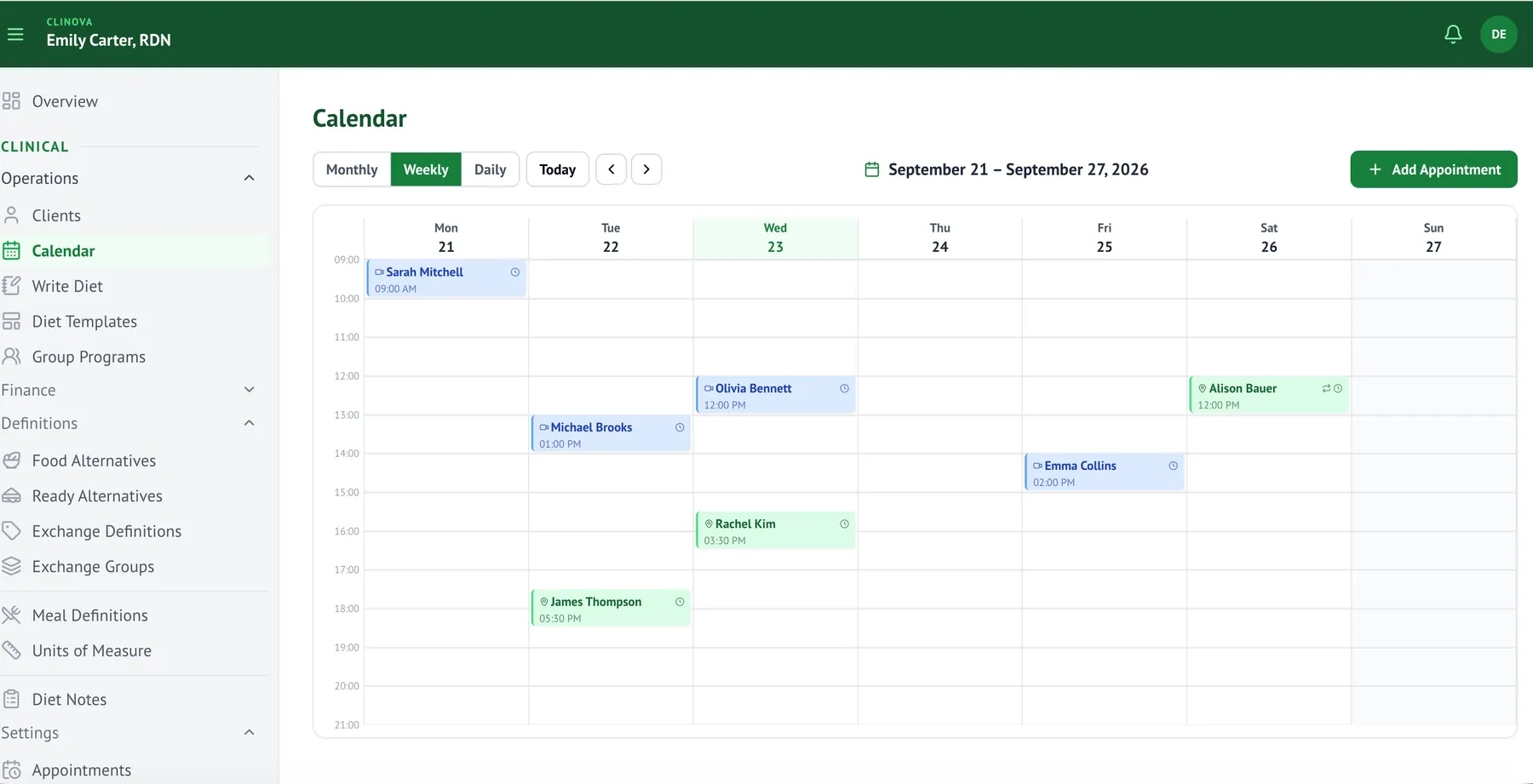
Tracking appointments by phone, notebook, or a separate calendar breaks down as your client list grows, and missed reminders lead to no-shows. Clinova's appointment scheduling brings your calendar, reminders, and Google Calendar sync together on one screen.
How are you managing appointments today?
Finding when a client's past appointments were means digging through old messages
You see a client's full past and upcoming appointments right on their profile
You forget to remind clients about their appointment, leading to last-minute cancellations or no-shows
An automatic email reminder goes out to the client one day before the appointment
You have to manually update your phone's Google Calendar whenever an appointment changes
Every appointment you create, update, or delete in Clinova is pushed to Google Calendar automatically
You re-enter recurring appointments (weekly check-ins, etc.) by hand every time
You define a recurring appointment once and the system creates the rest automatically
What's included in appointment management?
Google Calendar Sync
Every appointment you create, update, or delete in Clinova is pushed to your connected Google Calendar automatically — no need to keep two calendars in sync by hand.
Automatic Appointment Reminders
An automatic email reminder is sent to the client one day before the appointment; you can turn this off from your calendar settings.
Recurring Appointments
Define a regular appointment, like a weekly or monthly check-in, once — the system creates the rest automatically.
Per-Client Appointment History
See a client's full past and upcoming appointments right on their profile, without searching separately.
Assistant-Managed Scheduling
If you have an assistant, you can set up a separate user account for them to manage the appointment calendar.
Frequently asked questions about appointment management
Move your scheduling to Clinova
Start your 30-day free trial and use it with your real clients.