Leave the paperwork to Clinova, spend your time on your clients
You focus on your clients; plans, appointments and payments fall into place on their own in Clinova.
- 30 days free
- No credit card required
- Instant account setup
- Your data belongs to you
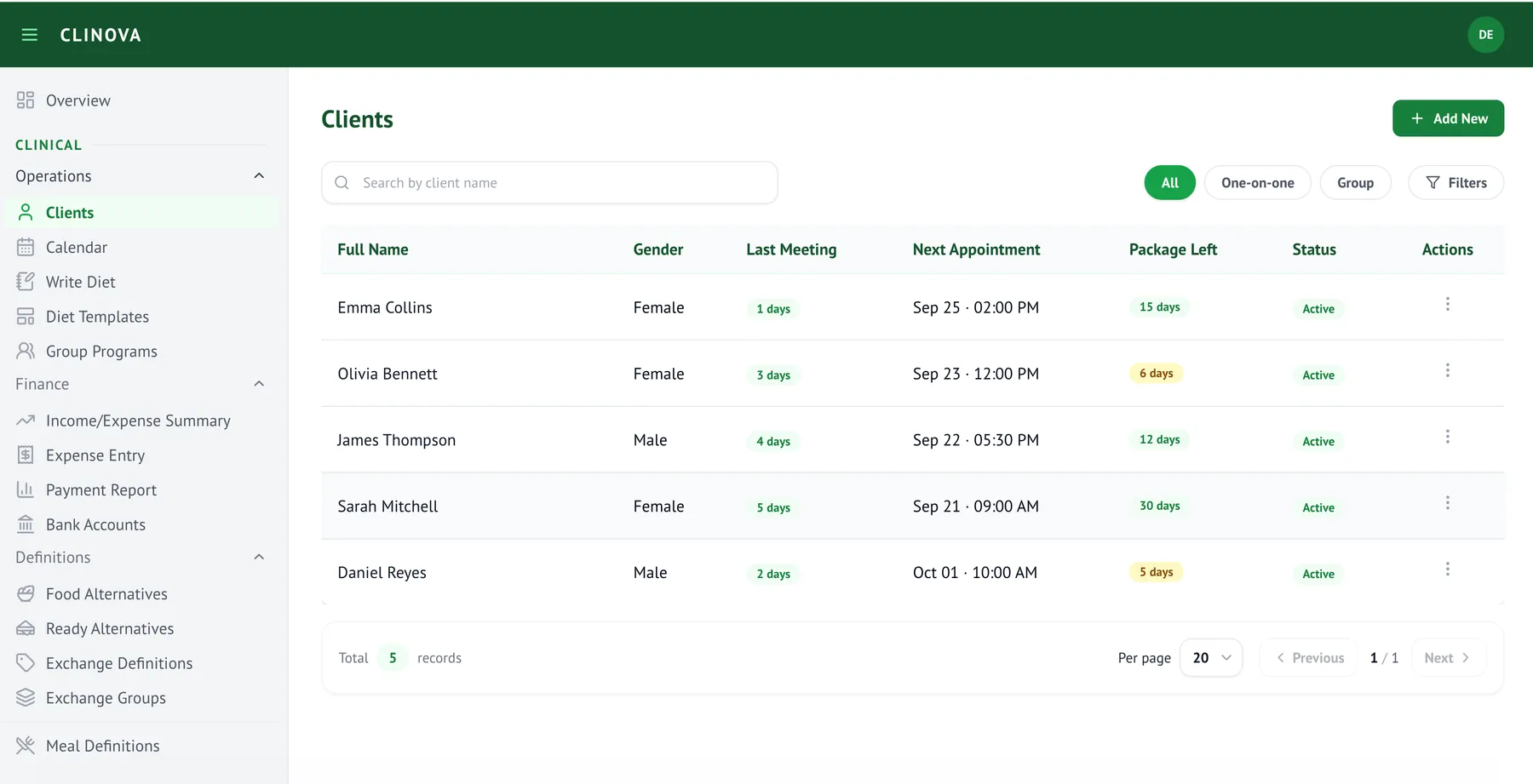
How do you work today?
Most dietitians run their practice across separate tools. Clinova brings them together in one platform.
You write the diet plan in Word and export it to PDF
You build the plan from a template in minutes and send it as a PDF
You record intake information by hand during the session
You send the intake form as a link and the client fills it in
You track appointments by hand, which gets harder as your client list grows
Appointments live in your Clinova calendar, synced with Google Calendar, with automatic reminders
You track payments in a notebook or scattered notes
Payments, upcoming due dates, income, expenses and a monthly report on one screen
You run each part of your practice in a separate tool
Clients, plans, appointments and payments in Clinova; add the website module later when you're ready
Everything about your clients on one screen
From client records to diet plans, session notes to payments — the whole process in one place, with no need to search through files, message history or spreadsheets.
Client records
History, measurements and notes on one screen; you see progress chronologically.
Digital intake forms
Send the form as a link and let the client fill it in. No manual data entry.
Diet plan writing
Fast plans with templates, exchange groups and food alternatives; PDF in one click.
Session tracking
A record of every session and measurement history; see where each client stands at a glance.
Appointment calendar
Google Calendar sync, recurring appointments and automatic reminders.
Payment and income tracking
See upcoming payments at a glance; collections, expenses and a monthly financial report are ready.
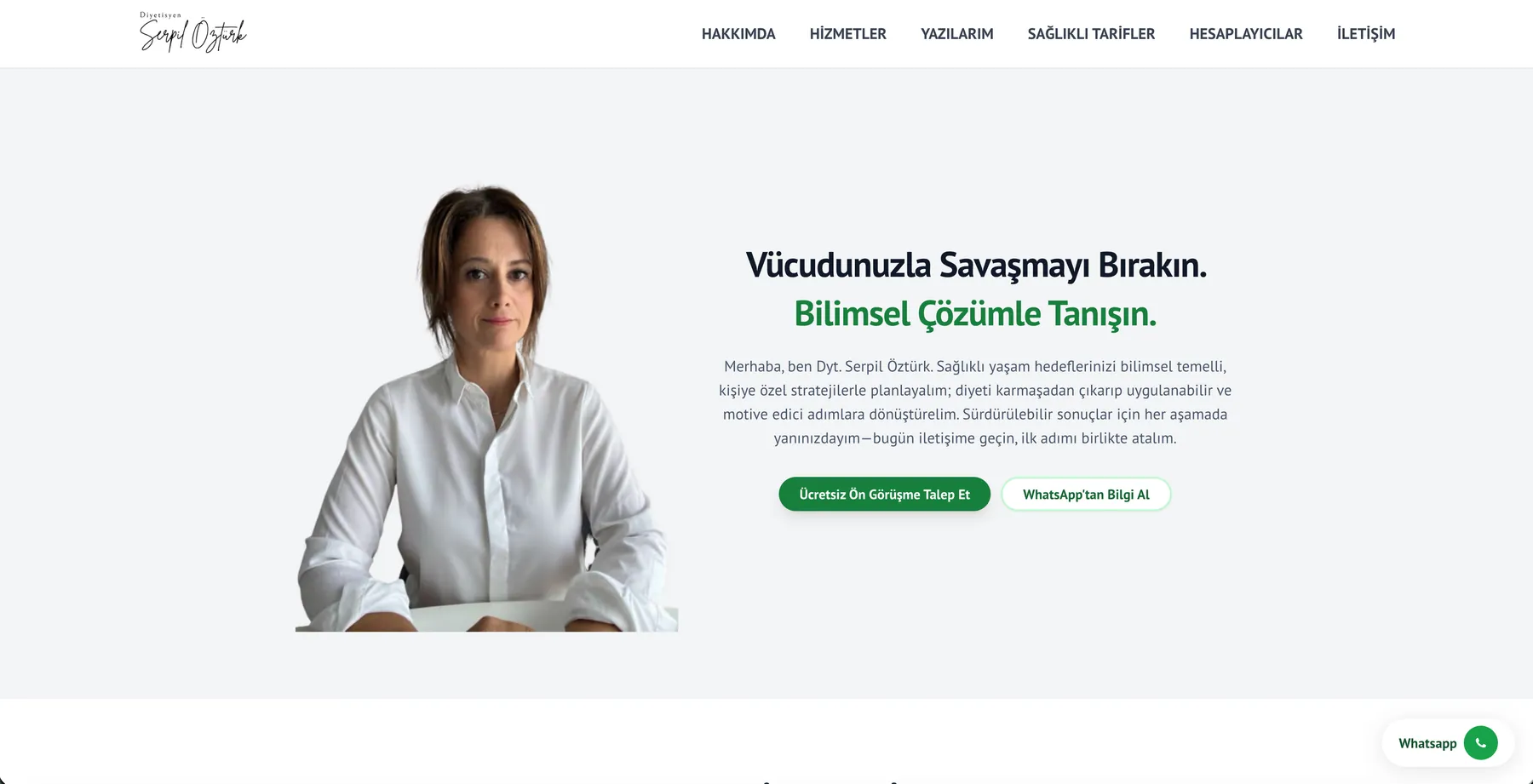
A site built with Clinova: dytserpilozturk.com
Grow into your own website whenever you're ready
Your trial starts with practice management. Once you're comfortable with it, add the website module to publish a search-visible site on your own domain — no separate web agency needed.
On your own domain
The site is published under your name and you connect your domain. You can link your Google Business profile too.
Get found on Google
You publish your blog posts and guides yourself. A sitemap, instant search-engine notification and structured-data markup describing your specialty and city are included.
Recipes
A ready recipe library and an AI-assisted recipe generator.
Service pages and contact form
Incoming messages are collected in your Clinova panel.
Your site also includes BMI, daily calorie and ideal weight calculators, which help attract additional visitors from search engines.
Additional features
- Google Calendar sync
- PDF diet plan export
- Automatic appointment reminders
- Assistant user access
- Group programs
- Your data belongs to you
Dietitians using Clinova
Serpil Öztürk moved her client tracking and website to Clinova.
Before Clinova, I tracked everything separately. Now all my clients, plans, and website are in one screen. The time savings are incredible.
Dyt. Serpil Öztürk
Functional Medicine Dietitian
View the siteHow to get started
Three steps. No credit card or commitment required.
- 1
Create your trial account
Enter your business name, email and password — your account is created instantly.
- 2
Verify your email, log in
Once you verify your email and log in, your basic definitions (exchange groups, meal definitions) are loaded automatically. You can start adding clients right away.
- 3
Try it free for 30 days, then decide
Use all practice management features with your real clients for a month. If you decide to continue, you can start your subscription from within the system.
What the trial account includes
- Client tracking, digital intake forms
- Fast diet plans from templates, PDF export
- Appointment calendar, automatic reminders
- Payment and income tracking
- Migration support for your existing client data
- Website module can be added later
Frequently asked questions
Frequently asked questions and their answers. If you can't find yours, write to us.
Get in touch
Send us your question or request and we'll reply by email as soon as possible.